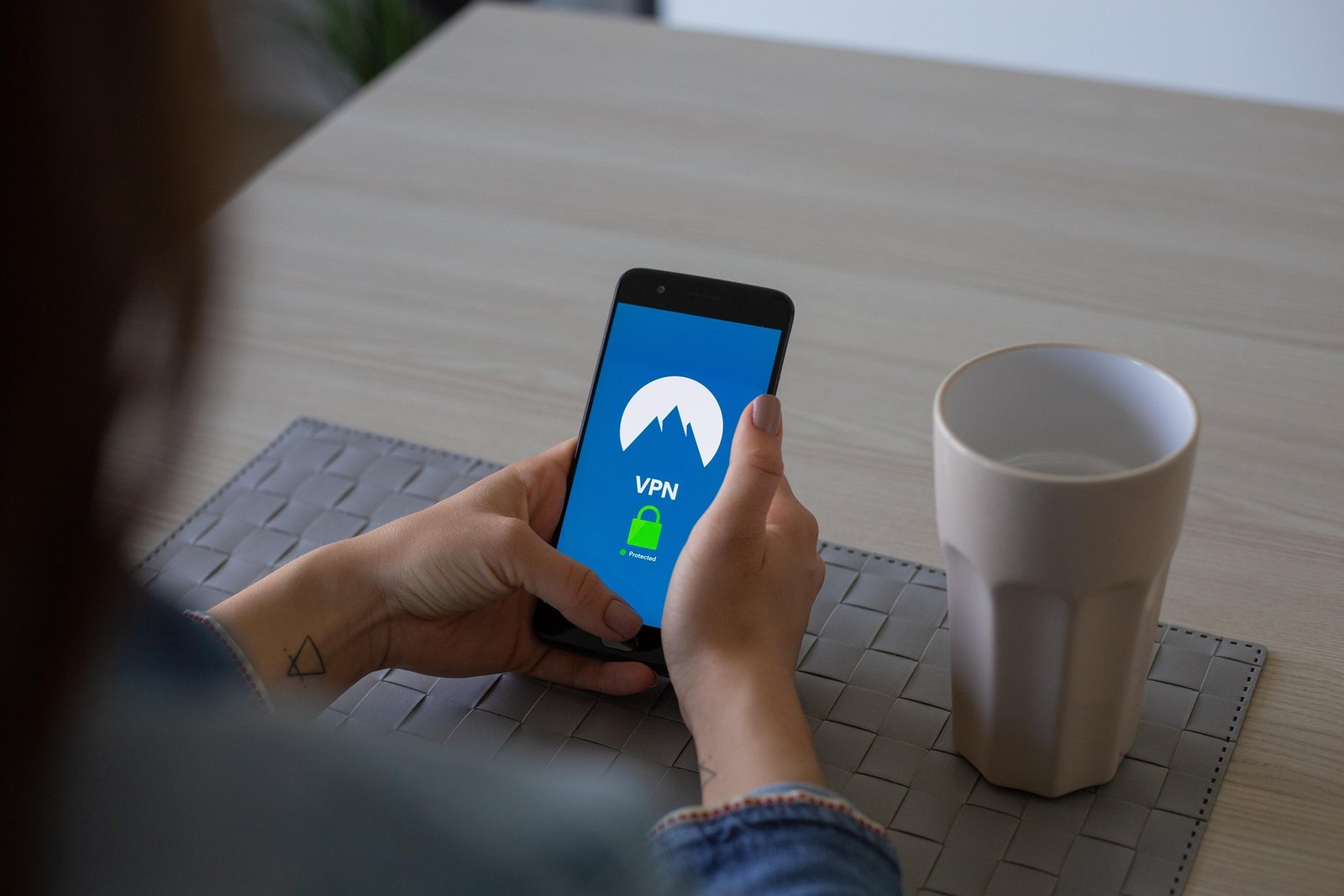
Online privacy has become one of the biggest concerns for internet users in 2026. Every day, millions of people use the internet for online banking, shopping, social media, streaming, remote work, and personal communication. However, many users do not realize how much information can be exposed through their internet connections.
Internet service providers, websites, advertisers, and other third parties may collect different types of information about online activities. Cybercriminals can also target users through insecure networks, phishing attacks, and malicious websites.
A Virtual Private Network (VPN) can help improve online privacy by encrypting internet traffic and masking a user’s public IP address. However, not all VPN providers offer the same level of protection.
Some focus on advanced encryption, while others prioritize anonymous account registration, independent security audits, and transparent privacy policies.
In this guide, we compare the best VPN services for online privacy in 2026, examine their security features, and explain how to choose a trustworthy VPN for everyday internet use.
Whether you live in the United States, United Kingdom, Canada, or Australia, this comparison will help you make a more informed decision about protecting your digital privacy.
What Is a VPN and Why Is It Important for Online Privacy?
A Virtual Private Network creates an encrypted connection between your device and a remote VPN server.
When you connect to a VPN, your internet traffic travels through this encrypted tunnel before reaching its destination. Websites generally see the VPN server’s IP address instead of your original public IP address.
This can make it harder for certain third parties to monitor your internet activity or associate online connections with your home network.
A VPN can provide several privacy benefits:
- Helps hide your public IP address from websites.
- Encrypts internet traffic between your device and the VPN server.
- Adds protection when using unsecured public Wi-Fi.
- Reduces some forms of network-level tracking.
- Provides additional privacy when browsing online.
- Allows connections through servers in different countries.
However, a VPN does not make you completely anonymous. Websites can still recognize you through account logins, cookies, browser fingerprinting, and other tracking technologies.
Choosing a trustworthy VPN provider is therefore extremely important.
Best VPN Services for Online Privacy in 2026
Here are five VPN services worth considering if privacy and security are your main priorities.
1. Mullvad VPN – Best for Maximum Privacy
Mullvad is particularly attractive to users who want to minimize the personal information associated with their VPN accounts.
Unlike many mainstream VPN providers, Mullvad does not require a conventional email address when creating an account. Instead, it generates a random account number.
The company also supports privacy-conscious payment options, including cash by mail and selected cryptocurrencies.
Mullvad uses the WireGuard protocol and offers additional security features designed to protect users’ internet connections.
Key Features:
- No email required for account registration.
- Random account identification numbers.
- WireGuard VPN protocol.
- Kill switch protection.
- Open-source applications.
- Ad and tracker blocking options.
- Support for up to five simultaneous devices.
Advantages:
- Minimal account information requirements.
- Strong privacy-focused approach.
- Transparent security practices.
- Useful privacy features.
- Suitable for security-conscious users.
Disadvantages:
- Smaller server network than some major competitors.
- Five-device simultaneous connection limit.
- Fewer entertainment-focused features.
- Less suitable for users seeking extensive streaming optimization.
Best For: Privacy-conscious users who want to minimize the personal information connected to their VPN subscription.
2. Proton VPN – Best Overall for Privacy
Proton VPN is one of the most interesting options for users who prioritize online privacy, security, and transparent software.
The service is part of the Proton ecosystem, which also includes encrypted email and other privacy-focused products.
One of its major advantages is its open-source application model. This allows security researchers and developers to examine its software.
Proton VPN also publishes independent security and no-logs audit information, helping users evaluate its privacy practices.
Key Features:
- Open-source applications.
- Strong encryption.
- Secure Core architecture.
- WireGuard protocol support.
- Kill switch protection.
- Independent security audits.
- Free and premium subscription plans.
Advantages:
- Strong privacy-oriented reputation.
- Transparent software development.
- Useful advanced security features.
- Free plan available.
- Suitable for desktop and mobile devices.
Disadvantages:
- Some advanced features require paid subscriptions.
- Free plans have fewer server choices.
- Secure Core connections may reduce speeds.
Best For: Users who want a combination of privacy, security, transparency, and everyday usability.
3. NordVPN – Best for Advanced Security Features
NordVPN is a popular premium VPN service offering a combination of online privacy, security tools, and connection performance.
Its NordLynx protocol is designed to deliver fast VPN connections, while its additional security features provide more options for protecting internet activity.
NordVPN also offers specialized server options, including Double VPN connections that route traffic through two VPN servers.
Key Features:
- NordLynx protocol.
- Double VPN functionality.
- AES-256 and modern encryption protections.
- Threat Protection features.
- Kill switch.
- Independently audited no-logs policy.
- Applications for major operating systems.
Advantages:
- Extensive security features.
- Easy-to-use applications.
- Useful privacy tools.
- Suitable for everyday browsing.
- Good compatibility with multiple devices.
Disadvantages:
- Some features require higher subscription tiers.
- Long-term subscription renewal prices may increase.
- Advanced settings can be confusing for beginners.
Best For: Users who want a mainstream VPN with advanced privacy and security features.
4. IVPN – Best for Privacy-Focused Users
IVPN is another provider worth considering for people who want to minimize their digital footprint.
The service focuses on privacy-first account registration, transparent policies, and security-conscious applications.
Users can create accounts without providing a conventional email address, reducing the amount of personal information required during registration.
IVPN also supports WireGuard and OpenVPN protocols.
Key Features:
- No email required for account creation.
- WireGuard and OpenVPN support.
- MultiHop connections.
- Kill switch protection.
- Ad and tracker blocking.
- Open-source applications.
- Independent security assessments.
Advantages:
- Privacy-focused account model.
- Transparent company practices.
- Useful advanced security features.
- Flexible subscription options.
Disadvantages:
- Smaller server network.
- Less suitable for users seeking a large entertainment-focused VPN network.
- Some advanced features require configuration.
Best For: Technically knowledgeable users who prioritize privacy over entertainment features.
5. Surfshark – Best Affordable Privacy VPN
Surfshark is an attractive option for people who want privacy protection across multiple devices without purchasing separate subscriptions.
Its unlimited simultaneous connection allowance makes it useful for families and individuals with several internet-connected devices.
The service also includes features designed to block certain advertisements, trackers, and unwanted website elements.
Key Features:
- Unlimited simultaneous connections.
- WireGuard protocol.
- AES-256 encryption.
- CleanWeb features.
- MultiHop connections.
- Alternative ID.
- Applications for major operating systems.
Advantages:
- Good value for multiple devices.
- Easy-to-use applications.
- Useful privacy features.
- Competitive introductory offers.
- Suitable for families.
Disadvantages:
- Promotional prices can increase at renewal.
- Some advanced features require higher plans.
- Streaming availability can vary.
Best For: Budget-conscious users and families who need VPN protection across several devices.
VPN Privacy Comparison Table 2026
The following table highlights the main differences between these providers.
| VPN Provider | Best For | Privacy Feature | Simultaneous Connections |
|---|---|---|---|
| Mullvad | Maximum privacy | Anonymous account numbers | 5 |
| Proton VPN | Overall privacy | Open-source applications | 10 on VPN Plus |
| NordVPN | Advanced security | Double VPN | 10 |
| IVPN | Privacy enthusiasts | Minimal account information | 2 or 7, depending on plan |
| Surfshark | Multiple devices | MultiHop and CleanWeb | Unlimited |
Connection allowances and subscription features should be verified on the providers’ official websites before purchasing.
Important Privacy Features to Look for in a VPN
Choosing a VPN based only on its price or server count is not a good strategy.
If online privacy is your priority, pay attention to the following features.
1. Independently Audited No-Logs Policy
A no-logs policy means the provider claims not to record certain information about users’ browsing activities or VPN sessions.
However, not every provider has the same logging practices.
Some may retain limited account, payment, diagnostic, or customer-support information.
Look for providers that commission independent audits of their privacy policies and technical infrastructure.
An audit provides useful evidence, but it only covers a particular scope and period. It is not a permanent guarantee.
2. Strong Encryption
Encryption is one of the most important components of VPN security.
Look for providers that use modern encryption standards and established VPN protocols.
Common options include:
- AES-256 encryption.
- ChaCha20 encryption.
- WireGuard.
- OpenVPN.
These technologies help protect internet traffic while it travels between your device and the VPN server.
3. Kill Switch Protection
A VPN kill switch is designed to prevent internet traffic from leaving your device outside the encrypted VPN connection if the connection unexpectedly drops.
This feature can help reduce accidental IP address exposure.
Users should check whether the kill switch is available on their particular operating system.
4. DNS Leak Protection
DNS requests help translate website names into IP addresses.
If these requests bypass the VPN tunnel, they may reveal information about websites you visit to your internet service provider or other network operators.
A reliable VPN should provide DNS leak protection and use secure DNS handling.
5. RAM-Only Servers
Some VPN providers operate servers using RAM-only infrastructure.
Unlike traditional storage, RAM loses its contents when power is removed.
This can reduce the amount of information that remains on a server after shutdown or restart.
However, RAM-only servers do not automatically guarantee that a provider never collects user information.
6. Open-Source Applications
Open-source VPN applications allow independent developers and security researchers to examine their code.
This can improve transparency and make it easier to identify potential security weaknesses.
However, open-source software still requires regular maintenance, testing, and security updates.
Does a VPN Protect You From Hackers?
A VPN can improve network privacy, but it is important to understand its limitations.
A VPN encrypts traffic between your device and the VPN server. This can make certain forms of interception more difficult, especially when using unsecured public Wi-Fi.
However, a VPN does not automatically protect you from:
- Phishing emails.
- Malicious downloads.
- Fake websites.
- Password theft.
- Malware infections.
- Social engineering attacks.
- Compromised online accounts.
For better protection, combine a trusted VPN with updated software, strong passwords, multi-factor authentication, and reputable antivirus protection.
Is a VPN Necessary for Public Wi-Fi?
Public Wi-Fi networks are commonly available in airports, hotels, restaurants, shopping centers, and coffee shops.
Although these networks are convenient, users should be careful when connecting to unfamiliar wireless networks.
A VPN can provide an additional layer of encryption between your device and the VPN server.
This can help protect your network traffic against certain local interception risks.
However, modern websites increasingly use HTTPS encryption, which already protects much of the information exchanged between browsers and websites.
For the best results, verify network names, avoid suspicious login pages, and keep your devices updated.
Free VPN vs Paid VPN for Online Privacy
A free VPN can provide useful privacy protection, but its features may be limited.
For example, Proton VPN offers a free plan with unlimited data, while Windscribe offers a free plan with a monthly data allowance.
Paid subscriptions generally provide more server choices, additional features, and greater flexibility.
| Feature | Free VPN | Paid VPN |
|---|---|---|
| Basic encryption | Available with reputable providers | Available |
| Server selection | Limited | Broader |
| Data allowance | Depends on provider | Usually unlimited |
| Advanced privacy tools | Limited | More options |
| Streaming support | Often limited | Generally better |
| Customer support | Basic | More extensive |
Users should never assume that a free VPN is automatically unsafe or that a paid VPN is automatically trustworthy.
The provider’s privacy policy, business model, security history, and independent audits matter more than the price alone.
How to Improve Your Online Privacy Beyond Using a VPN
A VPN is only one part of a complete online privacy strategy.
You can improve your digital security by following these practices.
Use Strong Passwords: Create unique passwords for important accounts and consider using a reputable password manager.
Enable Multi-Factor Authentication: Add another verification step to important accounts to reduce the risk of unauthorized access.
Update Your Devices: Install operating system, browser, and application security updates regularly.
Use Private Browser Settings: Review tracking permissions, cookies, and website privacy settings.
Avoid Suspicious Links: Do not open unexpected attachments or enter passwords on unfamiliar websites.
Review Application Permissions: Remove unnecessary access to your camera, microphone, contacts, and location.
Choose Secure Websites: Look for HTTPS connections when entering sensitive information.
These practices can significantly improve your overall security when combined with a reliable VPN.
Final Verdict: Which Is the Best VPN for Online Privacy in 2026?
The best VPN for online privacy depends on your individual requirements and the level of privacy you want.
Mullvad is an excellent option for users who want minimal personal information associated with their VPN accounts. Proton VPN offers a strong combination of transparency, open-source applications, and security features.
NordVPN is worth considering for users who want advanced security tools and mainstream convenience. IVPN is suitable for privacy enthusiasts, while Surfshark provides useful privacy features for people protecting multiple devices.
Our recommendations are:
- Best for account anonymity: Mullvad.
- Best overall privacy option: Proton VPN.
- Best for advanced security: NordVPN.
- Best for privacy enthusiasts: IVPN.
- Best for multiple devices: Surfshark.
Before choosing a subscription, examine the latest independent audit reports, privacy policy, ownership information, and renewal conditions.
Remember that no VPN guarantees complete anonymity or total protection from every online threat.
A trustworthy VPN, combined with safe browsing habits and strong account security, can help you build a more private and secure online experience in 2026.
Leave a Reply